
Month-end close, in one place
Close faster. Know what needs attention.
Close Ledger gives accounting teams one place to manage the month-end close, hold the team accountable, review financial results, and use AI to identify what needs attention.
No credit card required.
Task accountabilityFinancial reviewAI commentary
See Close Ledger in action
From close progress to financial review.
Take a quick look through the core Close Ledger experience before starting your trial.
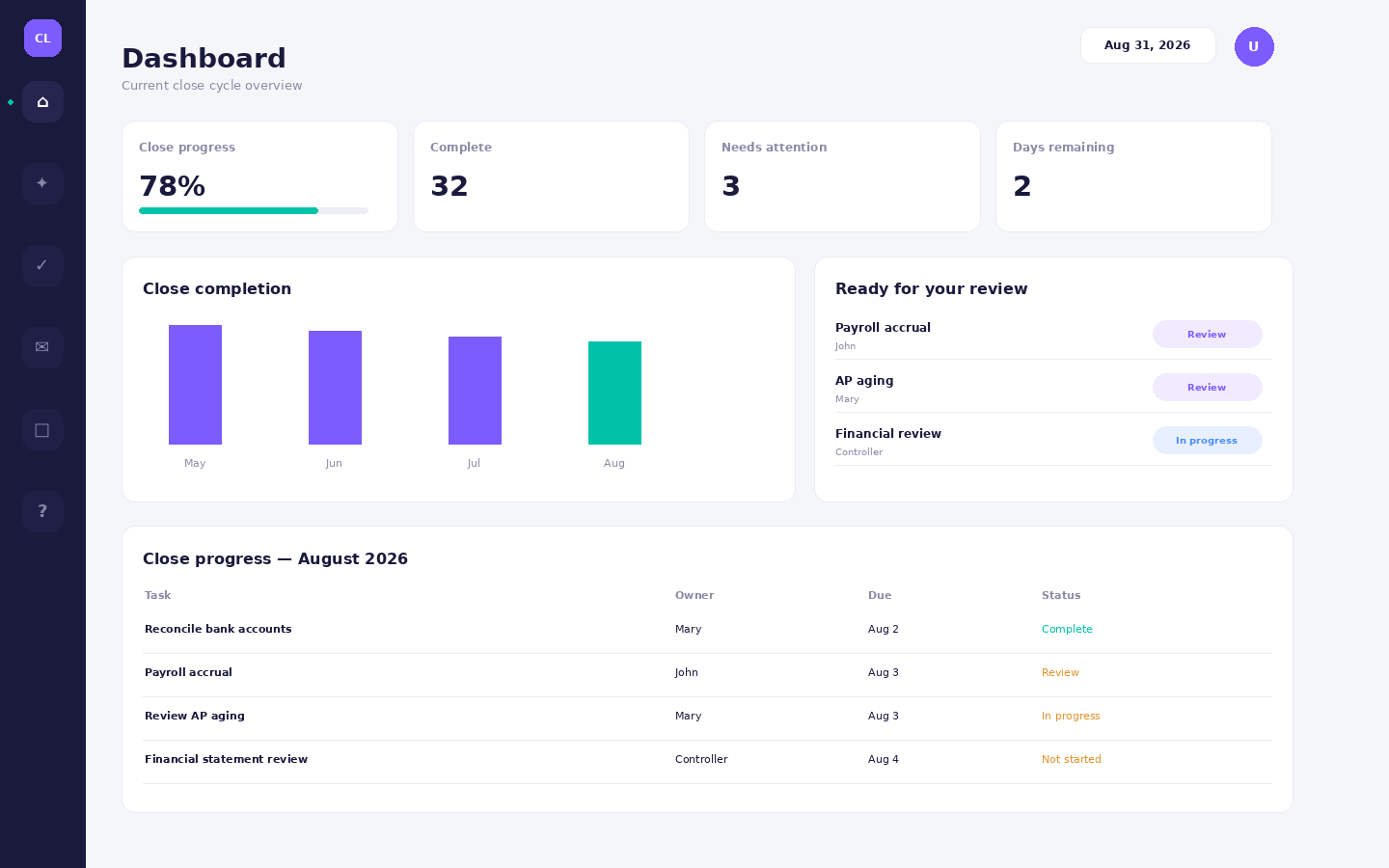
See the entire close at a glanceTrack completion, deadlines, ownership, and the items that need the controller's attention.
One close workspace
Replace spreadsheets, email follow-ups, and scattered close notes.
Give every person a clear owner, due date, status, supporting detail, and place to work—while the controller sees the entire close.
✓
Close task management
Assign recurring month-end tasks, track completion, issues, review status, notes, and supporting documents.
↗
Team accountability
See what is complete, late, waiting for review, or blocked without chasing updates through email and chat.
ƒ
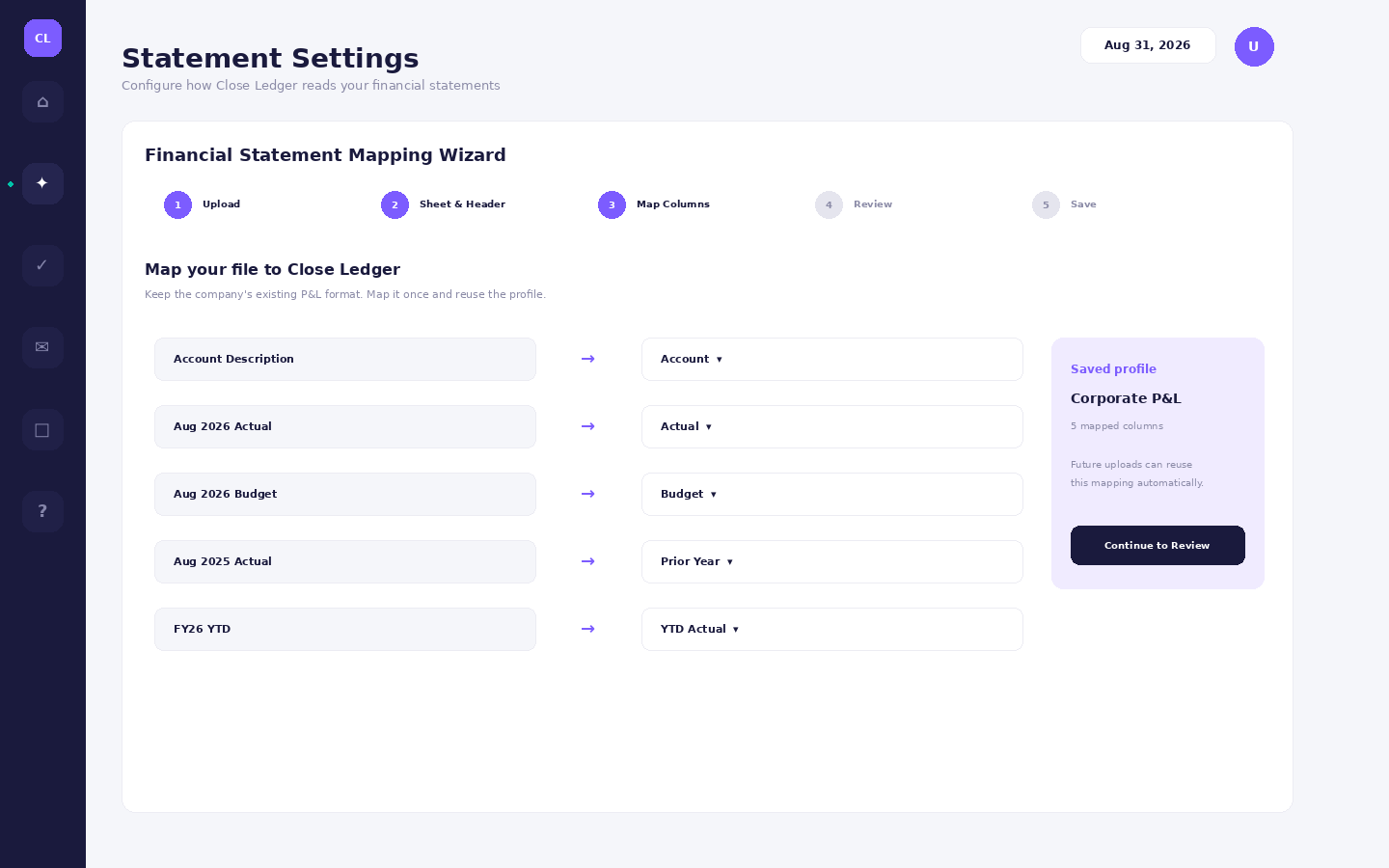
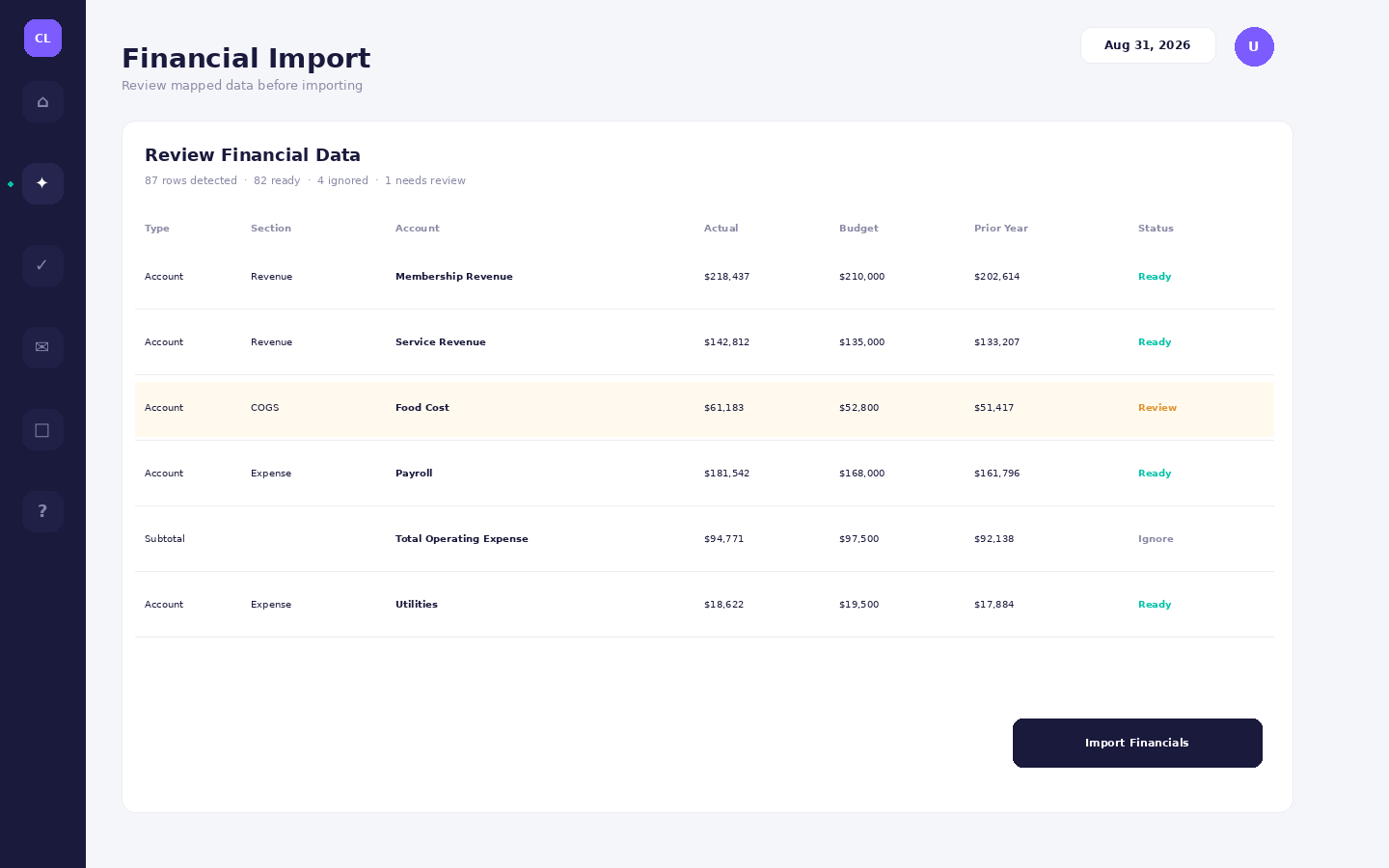
Financial import & mapping
Upload your existing P&L, map it once, review it in a spreadsheet-style workspace, and reuse the saved layout next month.
AI
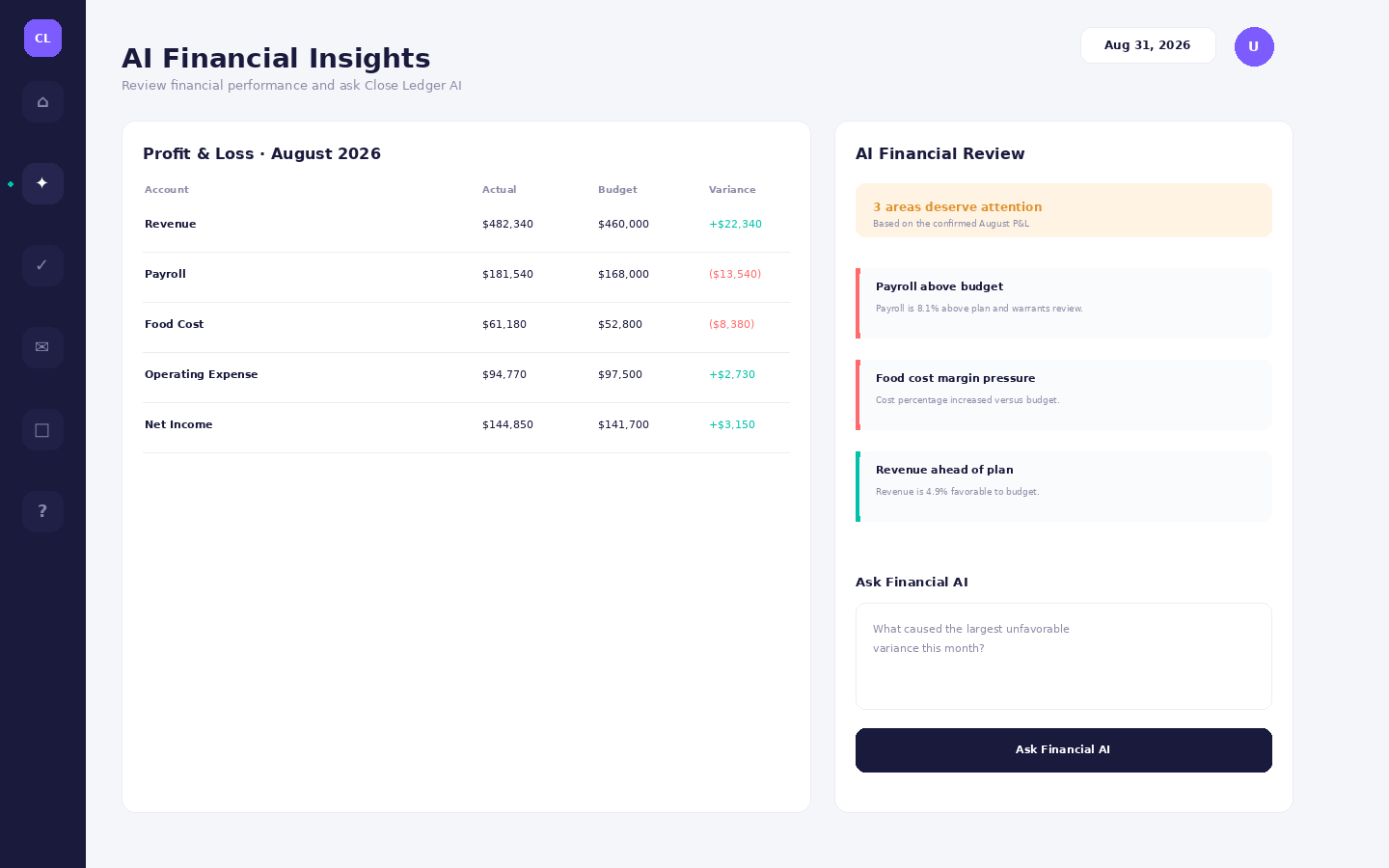
AI Financial Insights
Surface important variances, favorable trends, controller attention areas, and follow-up questions from the financial results.
⌁
Audit-friendly history
Preserve close history, changes, review activity, support access, and user actions instead of losing context after the month ends.
⌂
Built for growing teams
Role-based access, company branding, security controls, mobile access, support tickets, and subscription-based user limits.
How it works
A clearer path from open books to closed books.
1
Assign the close
Build recurring tasks, owners, due dates, and review expectations.
2
Work as a team
Complete tasks, attach support, document issues, and keep the controller informed.
3
Review the financials
Import your normal P&L and confirm the mapped data before it enters Close Ledger.
4
Close with context
Use AI insights and the completed close record to focus review on what actually needs attention.
Close Ledger Intelligence
Don't just finish the checklist. Understand the result.
AI Financial Insights reviews the imported financial snapshot after the controller confirms it, highlighting material variances and areas worth investigating.
Try Close LedgerAttention recommended · 3 areas to review
Payroll — unfavorable to budgetPayroll is running above plan and above the comparable prior-year period.
Food cost — margin pressureCost percentage increased relative to the selected comparison period.
Revenue — favorableTop-line performance is ahead of budget for the selected period.
Simple pricing
Experience a complete month-end close with a 45-day free trial.
No credit card required. Your 45-day trial includes Growth-level features, giving your accounting team time to set up Close Ledger, work through a real month-end close, and evaluate the complete workflow and full AI Financial Insights before choosing a paid plan.
Starter
$39 / month
For smaller accounting teams that need a structured, dependable month-end close.
- Up to 3 active users
- Full close workflow & financial statement import
- 2 AI Financial Reviews per month
- Access to the most recent 6 months of close history
- 250 stored supporting documents
- Standard role-based permissions
Growth
$89 / month
For growing finance teams that want the complete close workflow plus full AI financial analysis.
- Up to 7 active users
- Everything in Starter
- Full AI Financial Insights & Ask Financial AI
- Full close history access
- 2,500 stored supporting documents
- Advanced permission controls
- Recurring cadence & reopen audit trail
Pro
$179 / month
For larger accounting teams and organizations managing multiple entities.
- Up to 15 active users
- Everything in Growth
- Unlimited supporting documents
- Multiple entity workspaces
- Multi-entity AI foundation for advanced analysis
- Priority support queue
Need more than 15 active users? Contact Sales for a larger-team option.
Bring your month-end close into one workspace.
Give your accounting team a clearer process, stronger accountability, and a better financial review without redesigning the way your P&L works.
Start Free Trial